Platform:WinXP,Windows Vista Starter,Windows Vista Home Basic,Windows Vista Home Premium,Windows Vista Business,Windows Vista Enterprise,Windows Vista Ultimate,Windows Vista Home Basic x64,Windows Vista Home P
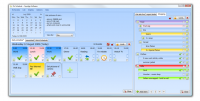
On schedule is an easy to use personal organizer for managing your schedules and todo lists. Create a schedule & fill it with events you can tick, delete, colour co-ordinate, set reminders for, re-schedule, re-name, add a description to, copy & move.
On schedule is an easy to use personal organizer for managing your schedules & to-do lists. Create a schedule & fill it with events you can tick, delete, colour co-ordinate, set reminders for, re-schedule, re-name, add a description to, copy & move. Create schedules and lists that work together.
Create schedules and create lists, then let them work together. Turn events in a schedule into items in a list, turn to-do items into scheduled events. With a simple drag and drop interface you can effortlessly manage your schedule. Let your schedule work around you.
With On Schedules tabbed interface you can have multiple schedules and lists, for different things, different people or whatever your purpose.
Securely Lock Schedule or lists with a password, stop them being opened by anyone else.
Set reminders for events with just a few clicks, choose how long before to be reminded.
View a schedule by day or by week view. The mini calendar will show you what days have events on them.
Easily catch up on missed events with the ?missed events? window, with a click of a button re-schedule them all for today.
The items in your schedule will automatically update their picture so you can make sense of your schedule in a glance. Their state will reflect whether they are: complete/in complete, scheduled/unscheduled, upcoming/missed or even reminders.
Fill a todo list with colour coordinated items & indented into other items to make sub Items. Tick them complete, indent them, move them around or put them into a Schedule.
On Schedule has free support, and free upgrades to future versions. Even better, just click ?Update? and On Schedule will update itself to the latest version for you, at no extra cost.
Install on multiple computers. If you have a few computers or laptops but don?t want to buy On Schedule for each one, you can install the same copy on each.Operating system: WinXP,Windows Vista Starter,Windows Vista Home Basic,Windows Vista Home Premium,Windows Vista Business,Windows Vista Enterprise,Windows Vista Ultimate,Windows Vista Home Basic x64,Windows Vista Home P Limitations: 30 Day Trial Release notes: Minor Update
MIE Calendar Software is a revolutionary calendar and collaboration tool. MIE Calendar is intended for businesses whose employees want to share calendars, information and tasks.
Price: $0, Rating: 10, Downloads: 122 Download
My Address Book is an easy to use contact manager for keeping track of friends, family, and business contacts.
Price: $0, Rating: 9, Downloads: 112 Download
AllMyNotes Organizer - secure random information manger! Save every bit of your info safely hidden from prying eyes. With this app working on ideas, notes, and storing diaries is a pure pleasure!
Price: $34.00, Rating: 9, Downloads: 105 Download
DesktopMirror for Outlook and Palm Desktop lets you synchronize information between Palm Desktop and Outlook. Then it is quite easy to keep your information up to date on your Palm, Palm Desktop and Microsot Outlook.
Price: $26.95, Rating: 5, Downloads: 104 Download
A small utility that displays a calendar with the twelve months of a year using Windows regional settings. Easy acces through a taskbar icon, which shows the current day. Configurable colors, column layout, first month and first day of the week.
Price: $, Rating: 0, Downloads: 102 Download
User Rating
Rating:2.2 out of
5 Based on13 ratings.
13 user reviews.

 On Schedule 0.6.3628.42482 details